Finding a business email address in 2026 is not about guessing or using shady scrapers. It's about knowing which signals to look for and which tools turn those signals into a verified inbox. This guide covers the methods that actually deliver — from free manual techniques to paid tools that scale — plus how to verify before you send.
Why Finding Emails Is Harder Now
Email providers have gotten better at hiding addresses. Gmail's privacy settings, company-wide email aliases, and role-based inboxes (info@, contact@) make it harder to reach a specific person. Public sources like LinkedIn stopped showing emails years ago. The easy methods from 2020 — scraping public profiles — now return mostly outdated or catch-all addresses.
But the core principle has not changed: every person leaves a digital trail of their email across tools, directories, and public records. The job is finding the right trail and validating it.
Business email find accuracy benchmark: Well-maintained email finder tools hit 85-93% accuracy when the contact has an active digital footprint. Below 80% usually means the tool is using stale data or guessing patterns. Source: aggregated from tester reviews and ACA campaign data.
Free Methods That Still Work
You do not need to spend money to find most business emails. These techniques take 30 seconds to 2 minutes per contact and work for at least 60% of attempts.
Google dork: site:linkedin.com/in "company" email
This is the fastest free method. Paste into Google:
site:linkedin.com/in "acme" "@gmail.com"Replace "acme" with the person's company name. Google returns LinkedIn profiles that contain both the company name and an email address in the headline or summary section. Many people leave their email visible on their profile. This catches them.
Check the company's "Team" page
Go to the company website and find the /team or /about page. Some companies still list full contact info for their staff. Use Ctrl+F to search for "@" on the page. If you find one pattern (like firstname@company.com), you now know their email format for the entire organization.
Try common patterns against the domain
Once you know the company domain and the person's name, test these patterns with a verification tool:
- firstname@company.com — common in smaller companies
- firstname.lastname@company.com — standard for most enterprises
- f.lastname@company.com — common in Europe
- firstinitialastname@company.com — typical for startups
Do not send to an unverified address. Use a free verification checker first (see the verification section below).
Search their personal domain or blog
Many professionals run a personal website, Substack, or blog. Check the "Contact" page, the footer, or the author bio. A surprising number of people put their email address on their own site without thinking twice.
Paid Email Finder Tools
When you need to find emails in bulk — for a campaign or a lead list — manual methods take too long. Email finder tools automate the search and verification process. Here are the ones worth considering in 2026.
| Tool | Best for | Data sources | Verification | Starting price |
|---|---|---|---|---|
| Hunter | Domain-based searches, pattern detection | Web crawling, public sources | Yes, built-in | $49/mo (500 searches) |
| Apify Email Finder | LinkedIn scraping, scalable automation | LinkedIn profiles, web scraping | Yes, via integration | Pay per search (~$0.04/email) |
| Clay | Multi-source enrichment, data enrichment waterfall | 40+ providers (Hunter, Apollo, Lusha, etc.) | Yes, merge-based | $149/mo (100 enrichment credits) |
| Lusha | Phone + email, sales teams | B2B directories, public records | Yes, real-time | $36/mo (480 credits) |
| Apollo | Large database + outreach | 275M+ contacts, AI-scraped | Yes, confidence scores | $49/mo (10,000 credits) |
Use Hunter when: you need email addresses from a specific domain and want to see the pattern first before buying credits.
Use Apify Email Finder when: you are building a list from LinkedIn Sales Navigator and want to automate the workflow as part of a larger scraping operation.
Use Clay when: you need the highest accuracy and are willing to configure a multi-provider waterfall to enrich a contact record.
Use Lusha when: you need phone numbers as well as emails and want a simple Chrome extension.
Use Apollo when: you want a built-in CRM and outreach platform alongside the lead database.
LinkedIn Strategies for Finding Email
LinkedIn itself will not give you someone's email. But the platform is the best place to start because it tells you exactly who to target. Combine LinkedIn with the methods above.
Sales Navigator + email finder integration
Sales Navigator lets you export lists of up to 2,500 prospects. Plugin that list into an email finder tool like Hunter or Apify. Most finders accept a CSV of LinkedIn profile URLs and return the associated email addresses. This is the standard workflow for B2B lead generation at scale.
Check the "Contact Info" section
Some users list their email publicly in their LinkedIn Contact Info section. Go to their profile, click "More" → "Contact Info." If the email is there, it is usually their personal or preferred business address. This saves you the verification step.
Look at their activity for clues
If a person comments on LinkedIn posts or writes articles, they sometimes include their email in the comment or the article body. Use Ctrl+F on their activity page to search for "@" — it catches things the profile page misses.
Verification: Why It Matters
Sending cold email to an unverified address is throwing away money and reputation. A single hard bounce damages your sender score. Multiple bounced emails from the same domain can get your domain blacklisted within hours.
The cost of bad data: A typical B2B email list contains 15-25% invalid addresses. Sending to them means 15-25% of your outreach budget goes to bounced emails that hurt your deliverability. Source: aggregated from email service provider data and ACA campaign stats.
Run every email address through a verification service before adding it to your campaign. Free verifiers check syntax and domain validity. Paid verifiers test the mailbox with a SMTP handshake without sending a real email — the only way to confirm the inbox exists.
Free verification tools
- NeverBounce Free Checker — 100 free verifications per month
- Hunter Email Verifier — 25 free verifications per month
- Apify Free Email Checker — unlimited, pay-per-result model
Paid verification tools (for scale)
- ZeroBounce — $0.004 per verification, highest accuracy in tests
- NeverBounce — $0.008 per verification, good for bulk
- Kickbox — $0.005 per verification, includes spam trap detection
How to Scale Email Discovery for Campaigns
Finding one email is easy. Finding 1,000 verified emails for a campaign requires a repeatable process. Here is the workflow that works for B2B outreach at scale.
- Define your target profile — industry, company size, job title, location. Put this into LinkedIn Sales Navigator.
- Export the prospect list — Sales Navigator exports CSV with name, company, title, and LinkedIn URL.
- Run through an email finder — Upload the CSV to Hunter, Apollo, or Apify. The tool searches for email addresses and returns a matched list.
- Verify every email — Run the found addresses through ZeroBounce or NeverBounce. Remove invalid, risky, and catch-all emails.
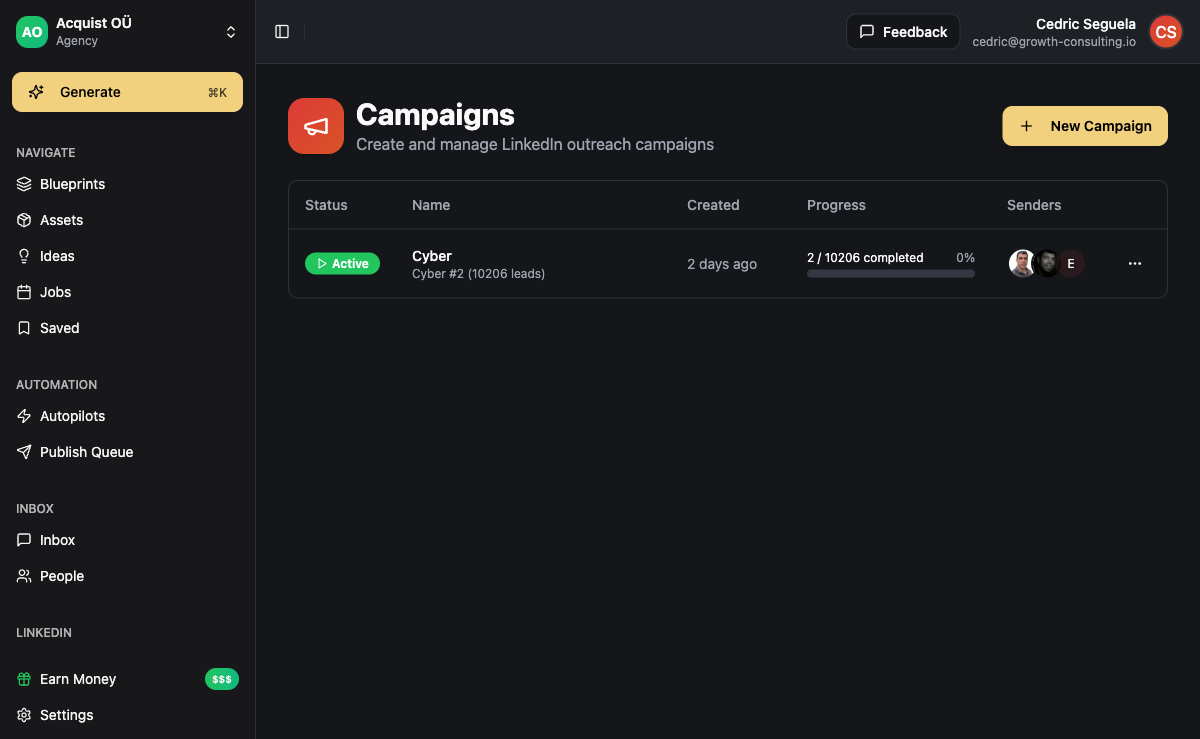
- Import into your outreach platform — Upload the clean list to your campaign tool. In ACA's campaign builder, you can import CSV directly and map fields to the outreach sequence.
This process takes 2-3 hours for a list of 1,000 prospects and delivers 400-700 verified emails depending on data quality and industry. The key is verification before sending — skipping step 4 is the most common mistake that kills deliverability.
Common Mistakes When Finding Business Emails
Most people who struggle with email discovery make one of these errors. Avoid them and your success rate doubles.
- Skipping verification — You found an address that looks right. It bounces. Your sender score drops. Verify first, every time.
- Using only one source — Hunter misses emails that Apollo finds. Run through multiple sources or use a tool like Clay that aggregates results from 40+ providers.
- Guessing patterns without testing — "firstname@company.com" is not always correct. Test the pattern against a known good address from the same company before scaling.
- Ignoring catch-all domains — Some companies set their email server to accept all addresses at their domain. A catch-all passes verification but the email may never reach the inbox. Watch for catch-all flags in your verification report.
- Forgetting to update old data — A found email from 2023 may be dead in 2026. People change jobs, companies rebrand, domains expire. Refresh your lists every 90 days.
Frequently Asked Questions
Can I find someone's email address for free?
Yes. Google dorking, checking company team pages, and testing common email patterns are all free. For a single address, these methods work 50-60% of the time. For bulk lists, you will need a paid email finder tool — the time saved is worth the $50-100 monthly subscription.
What is the best email finder tool right now?
Hunter for domain-level searches and pattern detection. Apify for LinkedIn-based scraping at scale. Clay for the highest accuracy through multi-provider enrichment. The "best" depends on your workflow: how many emails you need, where your prospects live (LinkedIn vs. web vs. directories), and your budget.
How do I find someone's email on LinkedIn if they hide it?
You cannot extract a hidden email from LinkedIn directly. Use Sales Navigator to export the prospect's LinkedIn URL, then run that URL through an email finder tool that scrapes LinkedIn profiles from a browser session. Apify's Email Finder is purpose-built for this.
Why do so many found email addresses bounce?
Most email finder tools return addresses from public sources that may be outdated. People change jobs, companies update their domain structure, and old posts with email addresses linger online. Verification is the only way to separate live inboxes from dead ones. Expect 10-20% of found addresses to fail verification.
Is it legal to find someone's business email address?
Yes, in most jurisdictions. A business email address on a corporate domain is considered public information when it is discoverable through legitimate means — company websites, public directories, or opt-in databases. Sending cold email to that address is regulated under CAN-SPAM, GDPR (for B2B), and CASL, but finding the address itself is not illegal. Scraping personal email addresses from private sources or bypassing security measures to access hidden data is a different legal territory.
How can ACA help with the lead generation process from email discovery to booked meeting?
ACA handles the part after the email is found and verified. Import your CSV of verified emails into ACA, build a multi-channel sequence (email + LinkedIn + WhatsApp + Instagram), and run the campaign. Replies come into a single unified inbox. The AI agent can qualify leads, book meetings, and update your CRM automatically. If you are sourcing leads through Apify, ACA integrates directly so the lead data flows straight into your campaign without manual CSV handling.