LinkedIn automation in 2026 means using software to run prospecting, messaging, and content tasks on your LinkedIn account at scale without you sitting at the keyboard. Done right, it books meetings while you sleep. Done wrong, it gets your account restricted in 48 hours. The difference is no longer about clever Chrome tricks. It is about which infrastructure your tool uses, what daily limits you respect, and whether LinkedIn is one channel in a sequence or the only one you have.
Short answer: LinkedIn automation is the use of software to perform LinkedIn actions (profile visits, connection requests, messages, InMails, content posts) on a logged-in account without manual clicks. The safe version in 2026 runs through a native session API like Unipile, respects a 20-25 daily connection cap, mixes outreach with content engagement, and uses LinkedIn as one channel inside a multi-channel sequence. The unsafe version is a Chrome scraper running 100 actions a day. One of them gets accounts restricted. The other books meetings.
What Is LinkedIn Automation?
LinkedIn automation is any software that performs actions on LinkedIn for you. The most common automated actions, in rough order of risk, are:
- Profile views - software loads a prospect's profile so the prospect sees you in their "who viewed your profile" list. Lowest risk, weakest signal.
- Following - clicks the follow button on a prospect's profile. Low risk, useful as a warm-up touch.
- Connection requests - sends invites with or without a note. Medium risk. The single most-watched metric on your account.
- First-degree messages - messages to people who already accepted you. Lower risk than invites because the relationship exists.
- InMails - paid messages to people you are not connected to, via Sales Navigator or Recruiter. Built-in throttling makes them safer but capped.
- Comments and post likes - engagement automation. Medium risk if done at scale.
- Content posting - publishing posts and articles on a schedule. Low risk because LinkedIn wants you posting.
- Profile scraping - pulling profile data into a CRM or list. High risk because it triggers LinkedIn's bot detection more than any other action.
What separates 2026 from 2020 is that LinkedIn's detection has improved dramatically. The crude Chrome extensions that worked five years ago either no longer exist or run with safety limits so tight they are not faster than doing it by hand. The category split is now between native session tools and browser scrapers, and the gap between them is enormous.
Native session automation connects to your LinkedIn account through an unofficial session API (most commonly Unipile, which underpins ACA and several other modern platforms). Actions are sent through authenticated session calls that look identical to actions from a logged-in browser, but run on cloud infrastructure with proxy IPs matched to your usual login location. This is the safest category in 2026 because there is no browser extension fingerprint, no headless Chrome, and no scraping pattern for LinkedIn to detect.
Is LinkedIn Automation Legal in 2026?
This is the question every founder asks and most articles answer badly. There are two layers: the law, and LinkedIn's terms of service. They are not the same thing.
The law: In the United States, the hiQ Labs v. LinkedIn case (settled in 2022) established that scraping public LinkedIn data is not a violation of the Computer Fraud and Abuse Act. That ruling is about public scraping by third parties, not about automating actions on your own logged-in account. It does not give you legal cover to spam, harass, or violate data protection law. In the EU and UK, GDPR applies to any personal data you collect or process, including names and titles you pull off LinkedIn. You need a lawful basis (legitimate interest is the usual one for B2B outreach) and you need to honor opt-outs.
LinkedIn's terms of service: LinkedIn's User Agreement explicitly prohibits using automated tools to access, scrape, or interact with the platform. So technically every automation tool on the market violates LinkedIn's ToS. What matters in practice is enforcement. LinkedIn does not sue users; it restricts accounts. The risk you actually carry is account restriction or permanent ban, not a lawsuit.
This is why the conversation in 2026 has shifted away from "is it legal" toward "how do I avoid restriction." The answer to that is in the next two sections.
Native API vs Chrome Scrapers: The Technical Reality
There are essentially three architectures for LinkedIn automation in 2026, and the architecture determines the risk profile more than any other factor.
Architecture 1: Browser extensions (Chrome scrapers)
The extension runs in your actual browser. It clicks buttons, fills fields, and parses the DOM the same way a human would, except faster. Examples in this category include older versions of Dux-Soup, LinkedIn Helper, and several spinoffs.
Why this is risky in 2026: LinkedIn's anti-automation systems fingerprint browser extensions. They detect timing patterns (a human takes 800ms to click; the extension takes 80ms), DOM manipulation that does not match human input events, and the presence of known extension IDs. Sessions that get flagged often see a "we noticed unusual activity" warning within days, and persistent activity leads to restriction.
Architecture 2: Cloud-based headless browsers
The tool runs a virtual Chrome instance in the cloud, logged into your account, and performs actions there. Examples include Phantombuster, Expandi, and Heyreach in some configurations.
Why this is medium-risk: cloud browsers are harder to fingerprint than extensions, and a dedicated proxy IP can simulate a stable login location. But headless Chrome leaves signals (specific navigator properties, missing plugins, render differences) that LinkedIn has gotten better at spotting. Most flags come not from the browser itself but from behavior: too many connection requests per day, weekend activity that does not match your usual pattern, or sudden volume spikes.
Architecture 3: Native session APIs (Unipile and similar)
The tool authenticates a session against LinkedIn's actual app endpoints (the same endpoints the mobile and desktop apps use) and sends calls directly. No browser, no DOM, no clicking. Unipile is the dominant infrastructure here and powers ACA, several CRMs, and a growing number of multi-channel outreach platforms.
Why this is the lowest-risk category in 2026: there is no browser to fingerprint. Actions flow through session calls that are indistinguishable from a real client. Combined with a stable residential proxy and respectful daily limits, this architecture survives where Chrome-based tools get flagged.
| Architecture | How it works | Detection risk | Typical daily ceiling |
|---|---|---|---|
| Browser extension | Runs in your Chrome, clicks the UI | High - fingerprint + timing | 15-20 actions before flags |
| Cloud headless browser | Virtual Chrome in the cloud with your session | Medium - depends on proxy quality | 25-40 actions |
| Native session API (Unipile) | Direct authenticated calls to app endpoints | Low - matches real client behavior | 40-50 actions (still respect limits) |
The architecture does not give you permission to ignore limits. Even with the best infrastructure, sending 200 connection requests in a day will get the account flagged. The architecture determines how much margin you have, not whether the rules disappear.
Account Safety Limits That Won't Get You Flagged
LinkedIn does not publish its limits. The numbers below are what we and most operators we know land on after watching accounts at scale across thousands of users. Treat them as the upper end of safe, not as targets.
Daily ceilings (per account, established profile, native API tool): 20-25 connection requests, 50-80 first-degree messages, 30 InMails (Sales Navigator cap is around 50/month total on most plans, so daily is irrelevant), 100 profile views, 30 follows, 20 post engagements. New accounts under 90 days old should run at roughly half these numbers for the first two months. Source: aggregated operator data from native-API LinkedIn automation users in 2025-2026.
A few rules that matter more than the raw numbers:
- Warm-up before scale. A brand new account, or one that has been inactive for six months, should run 5-8 connection requests per day for the first two weeks, then 10-15 for two more weeks, then ramp to 20-25. Going from zero to twenty-five overnight is the most common cause of restriction we see.
- Acceptance rate is the silent killer. LinkedIn watches the ratio of accepted invites to sent invites. Below 20% acceptance is a red flag. Below 10% is a near-certain flag. If your acceptance rate is in the single digits, your targeting is the problem and turning up volume will accelerate the ban, not fix the funnel.
- Pending invite buildup. Invites that sit pending for weeks accumulate against you. Withdraw pending invites older than three weeks. Most native-API tools do this automatically.
- No weekends, real hours. Schedule sends between 8am and 6pm in your account's timezone, Monday to Friday. A real person does not blast invites at 3am on a Saturday.
- Vary your daily volume. Sending exactly 25 invites every weekday is itself a pattern. Send 18 one day, 24 the next, 21 the day after.
Sales Navigator and Automation
Sales Navigator is LinkedIn's paid prospecting tool, and it is the single most useful upgrade for any serious outbound operator. The reason is not the InMail credits (those are a small bonus). The reason is the filters. Sales Navigator lets you build searches that the free version cannot touch: company headcount growth, recent funding events, role changes within the last 90 days, posted on LinkedIn in the last 30 days, technologies used, and dozens of others.
For automation specifically, Sales Navigator gives you three things that change the workflow:
- Lead lists and account lists. You can save searches as lists and have your automation pull from those lists on a schedule, so new leads matching your criteria flow in automatically.
- Higher search ceilings. The free LinkedIn search caps at around 1,000 visible results and aggressively rate-limits power users. Sales Navigator gives you actually usable result counts.
- Spotlight filters. "Posted on LinkedIn in the last 30 days" and "changed jobs in the last 90 days" are two of the highest-converting filters in B2B outbound because they identify prospects who are active and reachable.
What Sales Navigator does not do is make your automation safer. The same daily action limits apply. The same restriction risk applies. Sales Navigator is a sourcing tool, not a safety layer.
Multi-Channel Sequencing: Why LinkedIn Alone Isn't Enough
LinkedIn-only outbound was viable in 2018. In 2026 it is a wasted opportunity. Acceptance rates have dropped, inbox open rates have softened, and prospects increasingly ignore cold connection notes. The operators winning right now treat LinkedIn as one node in a three-to-five-channel sequence.
A typical multi-channel sequence in 2026 looks like this:
- Day 0: profile view (warming the impression)
- Day 1: connection request, no note or a very short note
- Day 3: cold email if the email is verified and the lead is in a region where this is legal
- Day 5: if connection accepted, first LinkedIn message; if not, second email touch
- Day 9: LinkedIn voice note or WhatsApp message (if number is available and consented context exists)
- Day 14: final email touch with breakup framing
Two things make this work. First, every channel reinforces the others. A prospect who sees your profile view, then your invite, then your email name in their inbox is encountering a real human, not a stranger. Second, you sidestep the LinkedIn limit problem. If you can only send 25 invites a day per account, but each prospect gets three to five touches across channels, your effective output is far higher than running LinkedIn alone at the same cap.
For the email side of multi-channel, see our complete cold email pillar guide. For the broader strategy of stitching channels together, see our outbound automation pillar. And for AI-driven response handling across all of them, see AI sales agents.
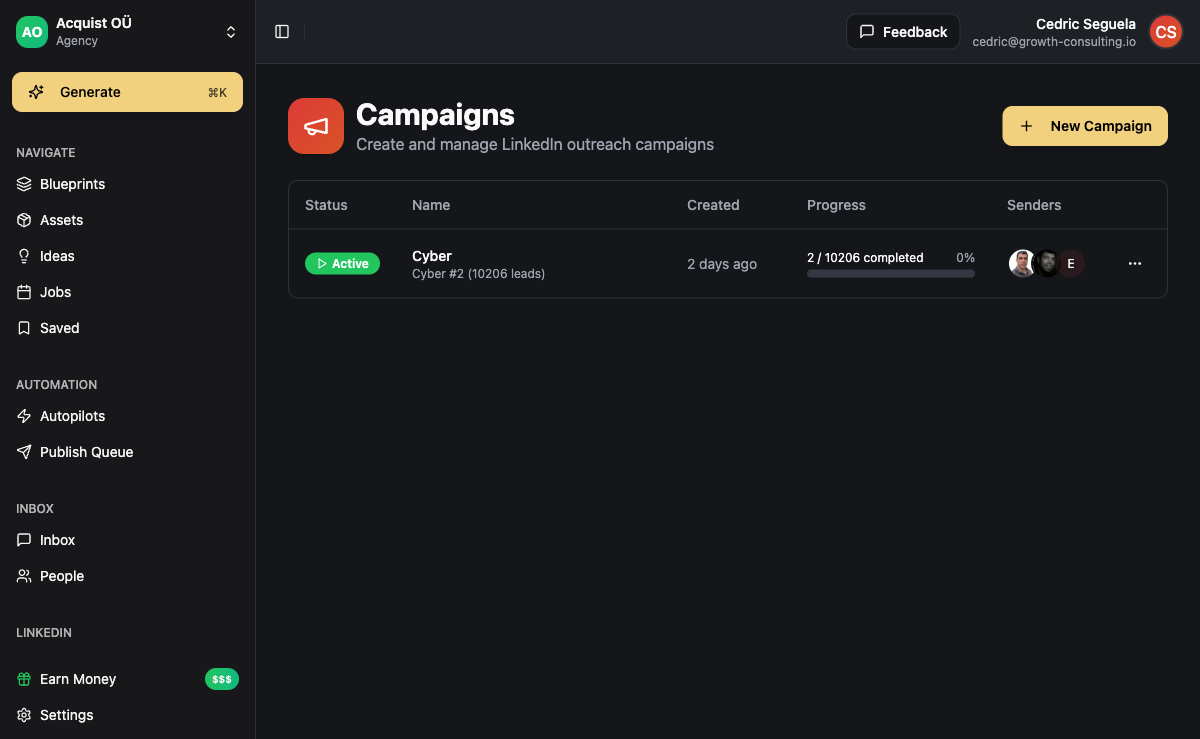
Content Posting Automation
The other half of LinkedIn that nobody automates well. Outreach automation gets the attention because it produces measurable meetings. Content automation is what makes the outreach actually convert, because by the time a prospect accepts your invite, they have already seen your profile, and your profile is mostly your last three posts.
Content automation breaks into two pieces: generation and publishing.
Generation is where AI helps most. A modern content pipeline takes a brand voice profile, a content blueprint (theme + structure), and produces drafts that match your voice. The drafts still need a human pass for the highest-performing posts, but the ratio of editing to writing-from-scratch is roughly 1:5. You spend 20% of the time and get the same output.
Publishing is the easy part. You schedule posts in advance. The catch is that LinkedIn's algorithm rewards native posting (composed in LinkedIn or via the official API) and quietly punishes posts that look like they came from third-party schedulers. Tools that publish through the native LinkedIn API or through a logged-in session have no reach penalty. Tools that publish via the older third-party post API do.
The content side is where consolidating your stack pays the most. Running outreach in one tool, content in another, and a CRM in a third means three subscriptions, three logins, and three sets of prospect data that never quite line up. Platforms that handle both - ACA being the obvious example - let you trigger an outreach sequence when a post gets engagement, which is the highest-converting single tactic in B2B social right now.
How to Choose a LinkedIn Automation Tool in 2026
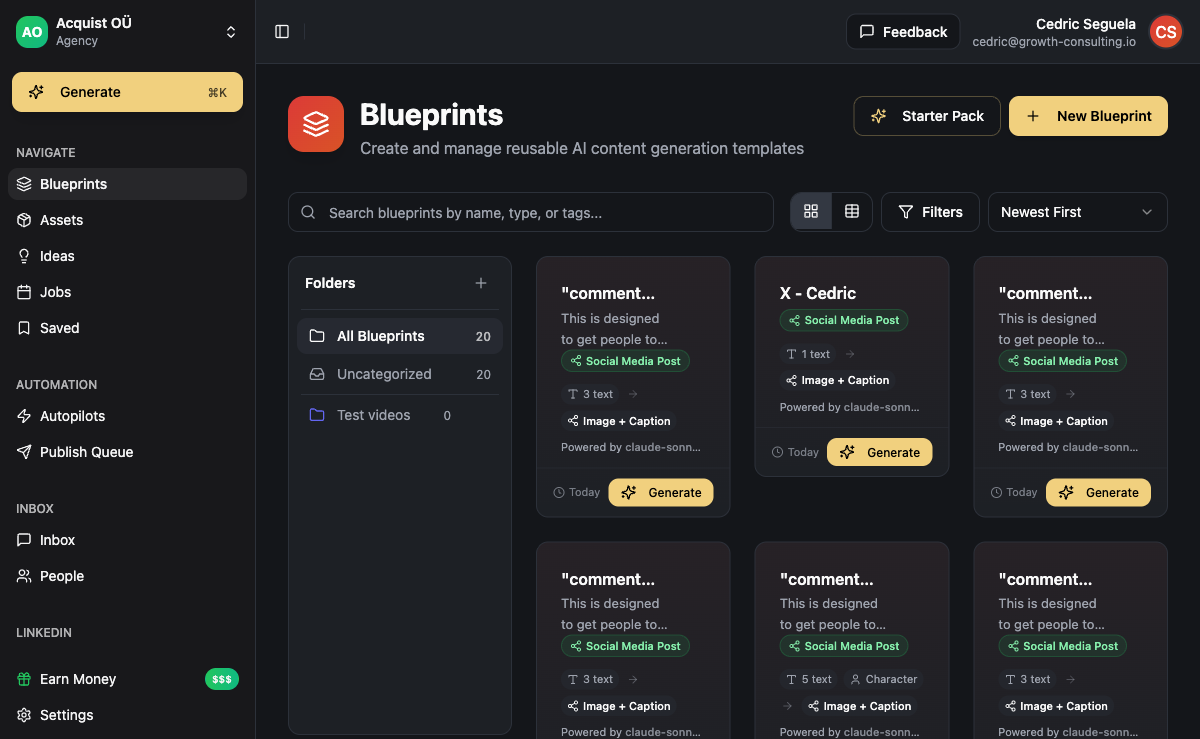
The market has consolidated around a few categories: legacy Chrome tools (Dux-Soup, LinkedIn Helper), single-channel cloud tools (Heyreach, Expandi, Waalaxy), multi-channel platforms (Lemlist, La Growth Machine, Hey Reach), and consolidated outbound platforms with content built in (ACA being the main example in this last category).
Pick a Chrome-extension tool when: you run very small volume on a single account, you accept the higher restriction risk, and you do not care about content or other channels.
Pick a single-channel cloud tool when: LinkedIn is genuinely the only channel you will ever use, you have a CRM elsewhere, and you do not need content generation.
Pick a multi-channel platform when: you want LinkedIn + email + WhatsApp in one sequence, you are running outreach for yourself or a small team, and content can stay in a separate tool.
Pick a consolidated platform like ACA when: you run an agency, you want outreach + content + CRM in one system, you want white-label, and you want native-API LinkedIn (via Unipile) so your accounts stay alive at scale.
Beyond the category, four questions filter most tools down to a real shortlist:
- What infrastructure does it use for LinkedIn? If the answer is "a Chrome extension" or it dodges the question, you have your answer. If it is "Unipile" or "native session API", you are in the safer tier.
- How does it handle daily limits? Tools that let you set 100 connection requests per day are tools that will get your account restricted. Tools that cap at 25 and refuse to go higher understand the platform.
- Does it work across channels in one sequence? If LinkedIn is a separate workflow from email, you will end up with two sequences, two sets of reporting, and prospect data that does not reconcile.
- What does pricing look like at scale? Per-seat pricing kills team economics. BYOK or flat pricing scales cleanly. For a team of five running LinkedIn outreach, the gap between per-seat and flat models can be ten times the monthly cost.
If you want to go deeper on specific tool comparisons, the spoke posts in this cluster cover the main categories: best LinkedIn automation tools 2026, Sales Navigator automation, connection request limits explained, account safety playbook, cold message templates that work, content posting automation, new account warm-up, InMail automation, LinkedIn lead generation strategy, PhantomBuster alternatives, and Unipile and the native API stack.
Common Mistakes That Kill Accounts
Most account restrictions are self-inflicted. The same six mistakes show up over and over:
- Ramping volume too fast. Going from 0 to 25 invites a day on a fresh account in week one. The fix is the warm-up schedule from earlier in this post.
- Ignoring acceptance rate. Pushing volume when the funnel is broken. Below 20% acceptance, fix the audience or the invite note before you touch the daily cap.
- Stacking multiple tools. Running a Chrome extension and a cloud tool on the same account. The combined fingerprint is what gets caught, not either tool alone.
- Switching IPs constantly. Logging into your LinkedIn account from a residential proxy in Texas, then suddenly from a data center in Frankfurt, then from your phone in London. Pick a stable proxy in your usual location and stay there.
- Automating actions LinkedIn watches most. Profile scraping at high volume is the single fastest way to trigger a restriction. If your tool offers "scrape 5,000 profiles a day", it is a tool that will kill your account.
- Treating restriction as the tool's problem. When an account gets restricted, the tool is almost never the only cause. It is volume, behavior, history, and timing together. Switching tools without fixing those does not solve the underlying issue.
For the wider context of where LinkedIn fits in a B2B funnel, see our B2B lead generation pillar. Most teams overweight LinkedIn relative to its actual contribution to pipeline. It is a strong top-of-funnel channel and a weak conversion channel by itself. Treated as one input among several, it punches above its weight.
The operators with the best LinkedIn results in 2026 are not the ones sending the most. They are the ones running 25 invites a day per account, on five accounts, into a multi-channel sequence that hands off to email and WhatsApp before the prospect has finished thinking about whether to accept.
Frequently Asked Questions
Is LinkedIn automation banned in 2026?
LinkedIn's user agreement prohibits automated tools, so technically every automation tool violates the terms of service. In practice, LinkedIn enforces by restricting accounts rather than pursuing tool vendors. Native session-API tools (Unipile-based) combined with respectful daily limits run for years without restriction. Aggressive Chrome scrapers at high volume get accounts flagged within weeks. The category and the volume matter more than whether automation is "allowed."
What is the safest LinkedIn automation tool?
Safety is mostly a function of infrastructure (native session API beats cloud browser beats Chrome extension) and daily volume. Tools built on Unipile have the cleanest fingerprint in 2026 because they hit the same endpoints LinkedIn's own apps use. ACA, Lemlist, Heyreach, and several others use this category of infrastructure. No tool is risk-free if you push 100 invites a day.
How many connection requests can I send per day?
For an established account using a native-API tool, 20-25 per day is the safe ceiling. New accounts should run 5-8 for the first two weeks, 10-15 for the next two, then ramp. The number that triggers a flag varies by account history, IP stability, and acceptance rate, but going above 25/day consistently raises restriction risk regardless of tool.
Do I need Sales Navigator to automate LinkedIn?
You can automate without it, but the filters and saved lead lists Sales Navigator unlocks make the workflow substantially better. Most serious outbound operators consider Sales Navigator a required tool for the targeting, not for the InMails. It does not change your daily action limits or your safety profile.
Can I automate LinkedIn content posting?
Yes, and you should. Tools that publish through the official LinkedIn API or through a logged-in native session do not suffer reach penalties. Older tools that publish via deprecated third-party post APIs sometimes show reach drops. Combine automated publishing with AI content generation and you get consistent presence with a tiny manual time cost.
What's the difference between Unipile and a Chrome extension?
Unipile is a session-API infrastructure provider. Tools built on it (including ACA) authenticate against LinkedIn's actual app endpoints and send action calls directly, with no browser involved. A Chrome extension runs inside your real browser and clicks the LinkedIn UI on your behalf. The extension leaves browser-fingerprint signals that LinkedIn detects; the session API does not. This is why Unipile-based tools survive at scale where extensions get accounts restricted.
Can I run LinkedIn automation on multiple accounts?
Yes, and most serious operators run between 3 and 10 accounts to multiply effective output without breaking per-account limits. Each account needs its own stable proxy IP matched to its login history, its own warm-up schedule, and its own daily cap. Running ten accounts on the same IP is the fastest way to get all ten restricted in one sweep.
What about LinkedIn voice notes and video messages?
Voice notes and short video messages have some of the highest acceptance and reply rates on LinkedIn right now precisely because almost nobody sends them. A handful of tools (Lemlist for AI voice, a few cloud-browser tools for manual voice notes) support automation here. Use them sparingly - the format works because it feels personal, and that breaks the moment every prospect gets the same one.