A sales automation workflow is a sequence of triggers and actions that moves a prospect from cold to booked meeting without a human babysitting each step. The best workflows in 2026 do not start with a list dump and a 7-email blast. They start with a signal (ICP fit, hiring, funding, reply, page view) and route the prospect through the right channel at the right cadence. Here are nine templates you can copy this week.
Short answer: The nine workflows that actually book meetings on autopilot are: (1) ICP-fit auto-enroll, (2) intent signal trigger, (3) multi-channel touch sequence, (4) reply detection and routing, (5) cold-lead re-engagement, (6) job-change trigger, (7) inbound speed-to-lead, (8) event follow-up, and (9) closed-lost win-back. Build them as triggered campaigns with branching logic, not linear drip lists. Power them with one tool for outreach (ACA) and one for upstream data (n8n).
What Counts as a Sales Automation Workflow
A sales automation workflow is any sequence of conditional steps that handles a part of the sales motion without manual input. The minimum viable workflow has three components: a trigger (something that says "act now"), a sequence (the message cadence across channels), and an exit condition (reply, booking, opt-out).
The mistake most teams make is calling a one-channel drip campaign a "workflow". A drip is a clock. A workflow is a decision tree. The difference shows up in reply rates: linear drips bottom out around 1-2% positive reply, while properly branched workflows in our experience land between 5% and 12% on cold B2B with clean data.
Workflow trigger is the event that enrolls a contact into a sequence. Triggers split into three families: fit triggers (matches your ICP filter), intent triggers (hiring, funding, technology change, page visit), and behavioral triggers (opened, clicked, replied, ghosted). Every workflow in this guide is anchored to one of those three.
Template 1: ICP-Fit Auto-Enroll
The foundation. Whenever a new contact lands in your CRM and matches your ICP filter (industry + headcount + role + geography), they auto-enroll into the cold outreach sequence.
Trigger: New contact created OR contact updated to match ICP rules.
Sequence: Day 0 LinkedIn view, Day 1 connection request with note, Day 4 email if no LinkedIn accept, Day 7 LinkedIn message if accepted, Day 11 final email, Day 14 exit.
Exit: Reply, booked meeting, or opt-out.
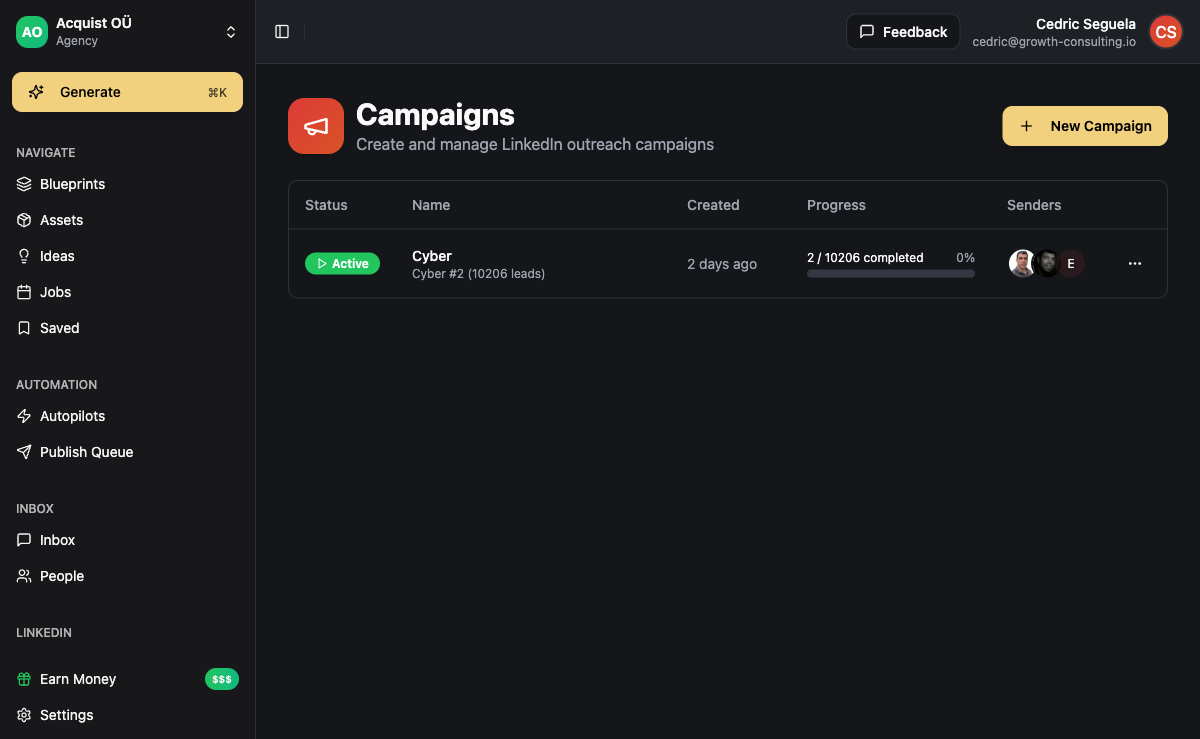
Build the upstream side with n8n: pull from your data source (Apollo, Apify, Clay), score against your ICP rules, push qualified contacts to ACA via webhook. Build the downstream side as a multi-channel campaign in ACA's sequence builder.
Template 2: Intent Signal Trigger
The highest-conversion workflow you can run. A prospect does something that signals buying intent (posts a job for a role your product replaces, raises a round, switches technology, visits your pricing page) and gets enrolled into a high-priority sequence with a contextual opening line.
Trigger: Intent signal fires (job post, funding round, tech change, site visit).
Sequence: Day 0 personalized email referencing the signal, Day 2 LinkedIn message, Day 5 follow-up email with a relevant case study, Day 8 exit.
Exit: Reply or 8 days elapsed.
n8n handles the watching. Set up scheduled scrapers for job boards, funding announcements (via Crunchbase or Harmonic APIs), and BuiltWith for tech stack changes. When a signal fires, push to ACA with the signal context as a custom variable so the first email can quote it back.
Intent-triggered workflows convert dramatically higher than cold blasts: in our experience running both side by side, an intent-anchored opening line lifts positive reply rate 3-4x over a generic cold opener. The reason is simple: you are emailing the prospect in the same week they care about the problem.
Template 3: Multi-Channel Touch Sequence
Single-channel cold email is half-dead. Single-channel LinkedIn is throttled. The workflow that wins is a coordinated multi-channel sequence where each touch reinforces the last across LinkedIn, email, WhatsApp, and (for warm-ish lists) SMS.
Trigger: Contact enrolled from any source.
Sequence: Day 0 LinkedIn connection, Day 2 email (no LinkedIn accept yet) or LinkedIn DM (accepted), Day 5 second email referencing the LinkedIn touch, Day 9 WhatsApp message if phone exists, Day 13 final email, Day 16 exit.
Exit: Reply on any channel, booked meeting, opt-out.
The critical rule: never send two touches on different channels the same day. Stagger them. ACA's sequence builder handles channel rotation logic and dedupes replies across all six channels into one inbox so a WhatsApp reply pauses the email follow-up.
Template 4: Reply Detection and Routing
Every cold campaign generates three types of replies: positive (book the call), neutral ("send info" / "talk in Q3"), and negative ("not interested" / "unsubscribe"). Most teams handle all three manually. They lose the neutrals.
Trigger: Inbound reply detected.
Sequence: AI classifier reads the reply intent. Positive replies route to a calendar link auto-reply and notify the rep. Neutral replies (timing objection) enroll into a nurture sequence with a scheduled follow-up in 60 or 90 days based on the stated date. Negative replies trigger opt-out and remove from all campaigns.
Exit: Meeting booked or final nurture touch sent.
Use a reply-routing workflow when: you reach 50+ replies per week and start losing track of "call me in Q3" leads.
Skip it when: your reply volume is under 10 per week. At that point a rep reading every reply is faster than building the classifier.
Template 5: Cold-Lead Re-engagement
You already have 8,000 contacts in your CRM who never replied. Most of them are not dead - they were just emailed at the wrong moment with the wrong message. A re-engagement workflow filters out the truly cold and gives the rest one more shot with a different angle.
Trigger: Contact last touched 90+ days ago, status = no reply, opt-out = false.
Sequence: Day 0 short LinkedIn message (no pitch, just a question), Day 4 email with a new angle (different value prop or new case study), Day 9 break-up email, Day 12 exit.
Exit: Reply or hard exit.
Break-up emails ("should I close your file?") consistently outperform every other email in our re-engagement sequences. They give the prospect a reason to respond now.
Template 6: Job-Change Trigger
When a champion changes companies, two opportunities open: re-sell them at the new company and find a replacement at the old one. Both should fire automatically.
Trigger: Existing contact updates LinkedIn job (detected via LinkedIn enrichment cron in n8n).
Sequence A (new company): Day 0 congratulations email referencing the move, Day 4 soft pitch ("any chance you'd want this at [new co] too?"), Day 9 exit.
Sequence B (old company): Day 0 LinkedIn search for replacement, enroll new contact into Template 1.
Exit: Reply, meeting, or 9 days.
Template 7: Inbound Speed-to-Lead
Inbound leads decay fast. A response within 5 minutes converts roughly 10x better than a response after an hour (well-documented in studies from Harvard Business Review and others). This workflow makes 5-minute response the default.
Trigger: Form submission, demo request, pricing page visit + email match.
Sequence: Minute 0 auto-confirmation email with calendar link, Minute 2 Slack alert to rep with prospect context, Minute 5 AI-drafted personalized email (rep approves or sends as-is), Hour 24 reminder if no booking, Day 3 LinkedIn touch if still no booking, Day 5 exit.
Exit: Meeting booked.
The AI-drafted email step is where most teams over-engineer this. The draft does not need to be a masterpiece. It needs to be sent fast and reference the form fields the prospect filled in.
Template 8: Event and Webinar Follow-up
You ran a webinar with 200 attendees and 600 registrants who didn't show. Both groups need different follow-up. Most teams send one generic email to both. That is leaving 70% of the value on the table.
Trigger: Event ends, attendee list and no-show list synced from event platform.
Sequence A (attendees): Day 0 thank-you with replay link and one specific resource referencing what they said in chat, Day 3 case study, Day 7 calendar link, Day 10 exit.
Sequence B (no-shows): Day 0 replay link, Day 4 punchier teaser, Day 8 break-up.
Exit: Reply or booking.
Template 9: Closed-Lost Win-Back
The most underused workflow in B2B. A deal closed-lost 6 months ago for reasons that may no longer apply (no budget, used a competitor, wrong timing). Auto-enroll them for a soft check-in.
Trigger: Deal closed-lost 180 days ago, not in any active sequence.
Sequence: Day 0 short email referencing the original conversation and what's changed (new feature, new pricing, new case study in their industry), Day 7 LinkedIn message, Day 14 final email, Day 17 exit.
Exit: Reply or 17 days.
Win-back close rates in our experience run 2-3x higher than fresh cold because the prospect already understands the product. Half the sales work is already done.
How to Stack These Workflows Without Spamming
Running nine workflows simultaneously sounds like a recipe for double-touching every prospect into the spam folder. It is not, if you build two guardrails.
- Global suppression list: any contact currently active in a sequence is suppressed from all other sequence enrollments. A prospect in Template 2 (intent signal) does not also get pulled into Template 1 (ICP auto-enroll). One sequence per contact at a time.
- Priority ordering: when two triggers fire on the same contact in the same week, the higher-priority workflow wins. Intent signal beats ICP-fit. Inbound speed-to-lead beats everything. Reply routing beats all outbound sequences.
ACA enforces both rules at the campaign level. n8n handles the upstream data plumbing (scraping, enriching, scoring, deduping) and ACA handles the outreach execution and reply unification across channels. That split is the cleanest stack we have found.
Which Template to Build First
If you are starting from zero, build them in this order:
- Template 7 (Speed-to-lead) - highest ROI per hour of build time. You already have inbound; just stop dropping it.
- Template 1 (ICP auto-enroll) - the backbone. Everything else assumes you have one default cold sequence already running.
- Template 4 (Reply routing) - the moment Template 1 starts generating replies, you need this or you'll lose the neutrals.
- Template 2 (Intent signals) - the highest-converting cold workflow. Build it once the basics are stable.
- Everything else as your data and rep bandwidth allow.
The goal is not to run all nine on day one. The goal is to run two well, then add a third, then a fourth. Most teams who try to launch nine workflows simultaneously end up with nine half-broken workflows and no booked meetings.
Frequently Asked Questions
What is the difference between a sales automation workflow and a sales sequence?
A sequence is a fixed series of touches (Day 0 email, Day 3 email, Day 7 email). A workflow is a sequence plus branching logic, triggers, and exit conditions. Sequences run on a clock. Workflows run on events. Every workflow contains at least one sequence; not every sequence is a workflow.
How many sales automation workflows should a small team actually run?
Three to five for a team under 10 people. Templates 1, 4, and 7 from this guide cover roughly 70% of the value. Adding Templates 2 and 9 covers another 20%. Beyond that you hit diminishing returns until your data infrastructure and reply volume justify more.
Do I need n8n if I am already using ACA?
Only if you want custom upstream data automation - scheduled scraping, enrichment chains, third-party API watchers for intent signals, or syncing data between systems ACA does not natively integrate with. For pure outreach execution (sequences, channels, replies, CRM) you do not need n8n. For triggers based on external events (funding, hiring, tech change), n8n is the cleanest way to plug them into ACA.
How do I avoid double-touching a prospect across multiple workflows?
Set a global suppression rule: any contact currently active in any sequence is excluded from enrolling in any other sequence until the active one exits. Then set priority ordering so when two triggers fire simultaneously, the higher-value workflow (usually intent signal or inbound) takes precedence. ACA enforces both at the campaign level so you don't have to manage it manually.
What is the minimum data quality I need to run these workflows?
Verified email (under 5% bounce rate), accurate job title, company name, and ideally LinkedIn URL. Phone number is optional unless you're running Template 3 (WhatsApp) or Template 7 (speed-to-lead with SMS). Skip first-name personalization entirely if your data is messy - a generic opener beats "Hi {{firstname|there}}" every time.
How long before automated workflows start booking meetings?
For Templates 1 and 7, expect first booked meetings within the first week of going live if your list is clean. For intent-triggered workflows (Template 2), it depends on signal volume - some niches generate 50 intent signals per week, others 5. Plan on 2-4 weeks of tuning before workflows hit their steady-state conversion rate.